How to enable subtitles?
We are in the process of adding subtitles to our content. We have added this feature to our web app (watching through a browser) and will be rolling this feature out to our mobile apps soon.
Currently on our web app, half of our titles have at least English subtitles and about one-third of titles have additional languages including:
Arabic (AR)
Bahasa Indonesia (IN)
Bahasa Malaysia (MS)
Bengali (BN)
Burmese (MY)
English (EN)
French (FR)
Nepali (NE)
Sinhalese (SI)
Thai (TH)
Vietnamese (VI)
Zawgyi (ZG)
When a video with available subtitles is played, the subtitles are automatically enabled by default to English**.**
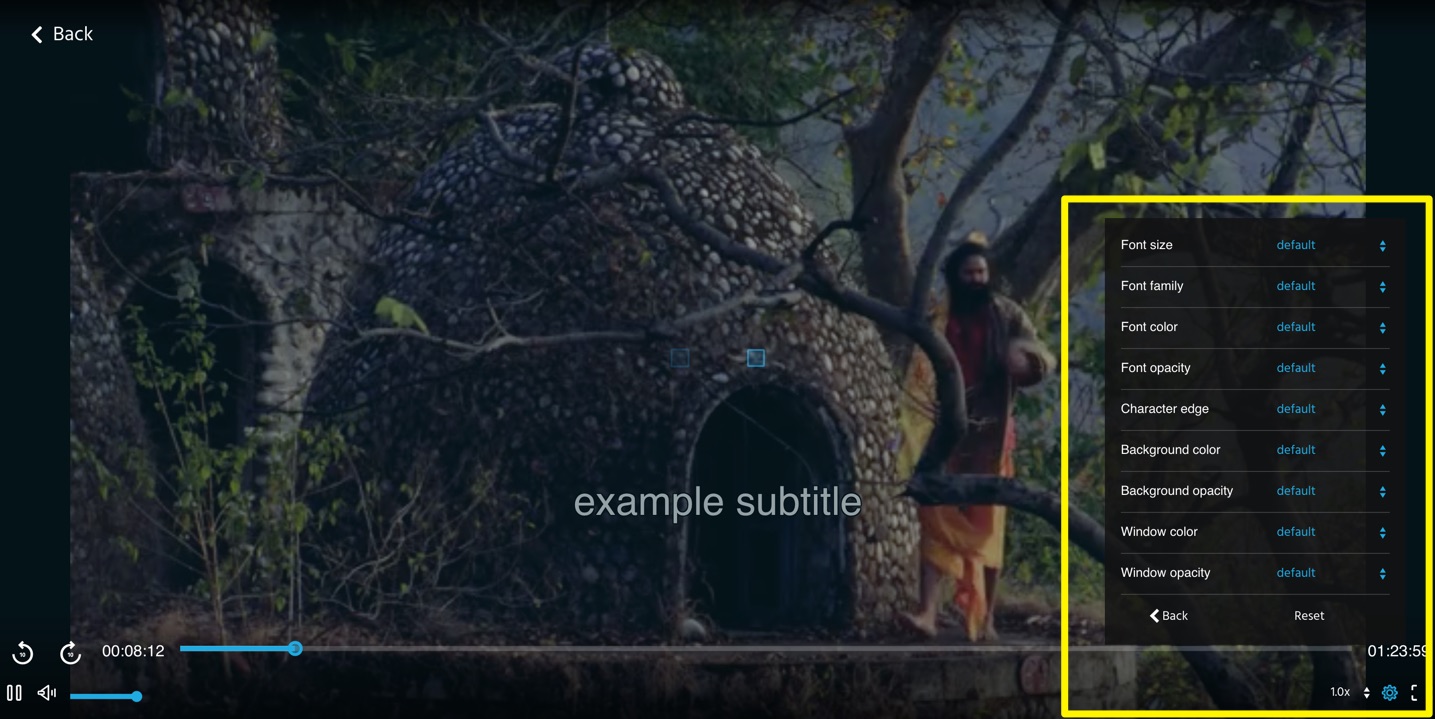
TIP: You can change the language as well as change the subtitles' attributes (font, colour, size, opacity, etc.)
To access subtitles in the web app:
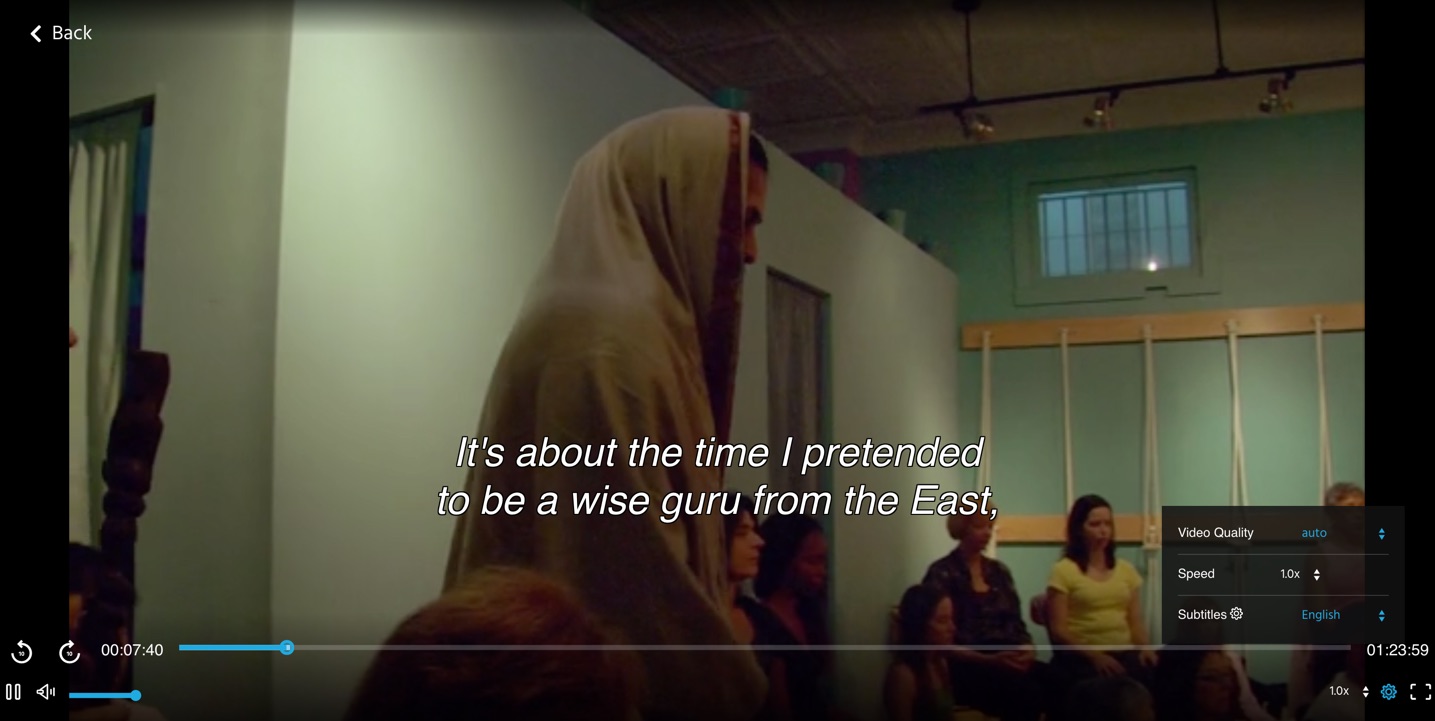
Click on the 'gear' button on the lower right side of your screen:
 You can either click on the language (English, by default to change the language) or click on the gear button beside subtitles to change the attributes as below:
If you wish for a certain title to be encoded with subtitles, just let us know or if you want to request for a new language, email us at support@iwonder.com. No promises, but we will do our best to make it available.